This is an online, self paced introduction to core concepts, methods and tools in computational social science focusing on three themes: (1) networks as data; (2) text as data; (3) prediction and simulation.
Instructor

Prof. Robert Ackland is based in the School of Sociology at the Australian National University (ANU). He was awarded his PhD in economics from the ANU in 2001, and he has been researching online social and organisational networks since 2002. He leads the Virtual Observatory for the Study of Online Networks Lab (http://vosonlab.net) which was established in 2005 and is advancing the social science of the Internet by conducting research, developing research tools, and providing research training. Robert has been teaching masters courses in online research methods and the social science of the internet since 2008 (undergraduate versions of the courses started in 2017). His book Web Social Science: Concepts, Data and Tools for Social Scientists in the Digital Age (SAGE) was published in July 2013. He created the VOSON software for hyperlink network construction and analysis, which was publicly released in 2006. The VOSON R packages for collecting and analysing social media network and text data were released in 2015 (Bryan Gertzel is the lead developer), and to date the packages have been downloaded over 87K times. Robert's book Web Social Science: Concepts, Data and Tools for Social Scientists in the Digital Age (Sage) was published in 2013, and he is currently working on a book manuscript for Edward Elgar Publishing titled Understanding Social Networks and Computational Social Science.
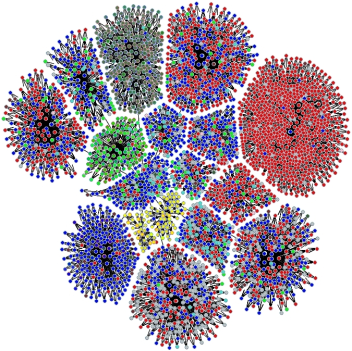
This course provides an introduction to core concepts, methods and tools in computational social science focusing on three themes: (1) networks as data (why do actors such as people and organisations connect with one another and how do networks affect behaviour and outcomes?); (2) text as data (what can we learn about actors and groups of actors based on what they write and say?); (3) prediction and simulation (how can statistical techniques including machine learning and AI be used to predict latent attributes of actors such as political affiliation, and build simulations of social behaviour?).
While there will be an emphasis on the collection and analysis of digital trace data from social media and the web, (for example: Reddit, YouTube comments, Bluesky, Mastodon, WWW hyperlinks and website text), the techniques are general and can be used with other data sources such as real-world networks (e.g. employee collaboration or advice networks, open-ended text responses in survey data). The course is aimed at academics and PhD students who want to be more computationally literate, and those from technical disciplines (e.g. computer science, engineering, information science) who want to be more familiar with quantitative social scientific analysis of networks and text data. The course will also be useful for researchers from industry and government whose work involves quantitative analysis of large-scale digital trace data e.g. for marketing, social research, public relations, brand management, journalism, opinion analysis.
The course is self-paced and run over a two-week period. During this period, there will be 6 days (Monday to Wednesday in weeks 1 and 2) where the instructor will run a 1.5 hour live online session in the morning, introducing the activities for the day and answering participant questions. On these days the instructor will also be available for pre-booked 1:1 online sessions with participants (or groups of participants) for assistance and advice. The instructor will also be available on-call during business hours on those days to assist with any software or technical problems that are preventing participants from progressing with the course material. Otherwise, participants will work at their own pace through a series of short videos produced by the instructor, and associated R code and exercises.
While the main software used in this course is R, we will also use Gephi for large-scale network visualisation. The course syllabus identifies the key R packages that are used in the course. While much of the course will be run using R locally (on the participants' devices), for the introduction to LLMs we will also run R on Google Cloud Platform.
Week 1 - Day 1
- 9.30am - 11.00am: Online live session (participants are expected to attend the first session)
- Self-paced activities (videos, code):
- RStudio and R refresher, including Rmarkdown and installing R packages
- Social Network Analysis (SNA) using igraph - 1: creating and visualising networks, basic node-/network-level metrics
- Collecting online network and text data using VOSON - 1 (possible data sources: Reddit, YouTube comments, Bluesky, Mastodon, WWW)
- 2.00pm - 4.00pm: 7.00pm - 9.00pm: Optional pre-booked 1:1 online consultation
Week 1 - Day 2
- 9.30am - 11.00am: Online live session
- Self-paced activities (videos, code):
- Introductory text analysis - 1: tidytext - text preparation, frequency counts and wordclouds
- SNA using igraph - 2: partitioning / clustering, creating subnetworks, coding node attributes
- Collecting online network and text data using VOSON - 2 (possible data sources: Reddit, YouTube comments, Bluesky, Mastodon, WWW)
- 2.00pm - 4.00pm: 7.00pm - 9.00pm: Optional pre-booked 1:1 online consultation
Week 1 - Day 3
- 9.30am - 11.00am: Online live session
- Self-paced activities (videos, code):
- Introductory text analysis - 2: quanteda - text preparation, frequency counts and wordclouds
- Sentiment analysis
- Network visualisation using Gephi - 1: Node layout, shape, colour
- 2.00pm - 4.00pm: 7.00pm - 9.00pm: Optional pre-booked 1:1 online consultation
Week 2 - Day 1
- 9.30am - 11.00am: Online live session
- Self-paced activities (videos, code):
- Thematic and frame analysis using semantic network analysis
- Introduction to large language models (LLMs) - 1: Using word embeddings
- Network visualisation using Gephi - 2: Partitioning/ clustering, filtering
- 2.00pm - 4.00pm: 7.00pm - 9.00pm: Optional pre-booked 1:1 online consultation
Week 2 - Day 2
- 9.30am - 11.00am: Online live session
- Self-paced activities (videos, code):
- Running R in the cloud (Google Cloud Platform, GCP)
- Manual and automated approaches to creating network node attributes
- Thematic and frame analysis using topic modelling
- 2.00pm - 4.00pm: 7.00pm - 9.00pm: Optional pre-booked 1:1 online consultation
Week 2 - Day 3
- 9.30am - 11.00am: Online live session
- Self-paced activities (videos, code):
- Introduction to LLMs - 2: Training a word embedding using text2vec
- Using LLMs for predicting node attributes, and thematic and frame analysis
- Introduction to social simualtion using agent based modelling and LLMs
- 2.00pm - 4.00pm: 7.00pm - 9.00pm: Optional pre-booked 1:1 online consultation
This course is largely self paced within a 2-week framework. Participants will work at their own pace through a series of short videos produced by the instructor, and associated R code and exercises.
During this period, there will be 6 days (9.30am - 11.00am, Monday to Wednesday in weeks 1 and 2) where the instructor will run a 1.5 hour live online session in the morning, introducing the activities for the day and answering participant questions.
On these days, (Monday to Wednesday in weeks 1 and 2), the instructor will also be available for pre-booked 1:1 online sessions with participants (or groups of participants) for assistance and advice. Please note you must pre-book a time within these 2 blocks: 2.00pm - 4.00pm OR 7.00pm - 9.00pm.
The instructor will also be available on-call during business hours on those days to assist with any software or technical problems that are preventing participants from progressing with the course material.
It is advisable that you have some equivalent exposure to social network analysis, for example via the following ACSPRI course:
It is also advisable that you have some experience with the R programming language (or similar languages) for example, via the following ACSPRI courses:
Participants will receive a PDF proof copy of Ackland's 2013 book Web Social Science (Sage), and will also receive draft chapters from Ackland's forthcoming book Understanding Social Networks and Computational Social Science (Edward Elgar Publishing).
Participants can find information on relevant software (including how to download and install, and help information) here:
- The R Project for Statistical Computing - http://www.r-project.org
- RStudio - https://rstudio.com/
- VOSON R software
- Gephi - http://gephi.github.io
Q: Should I have taken an ACSPRI R Course before attempting this course?
A: Not necessarily. However it is advisable that you have some experience with social network analysis and/or quantitative text analysis, and preferably also some experience with R (or a similar programming language such as Python).
Q: Do I need to have R, RStudio and particular R packages already installed on my computer?
A: Yes. Instructions and assistance will be provided prior to the commencement of the course, to ensue that the software (and R, RStudio, R packages) are successfully installed.
Q: Do I need to have access to Google Cloud Platform (GCP)?
A: Yes, if you wish to undertake the parts of the course that involve working with R on GCP you will need to have a Google account and access to GCP. Note, however, that the course instructor will facilitate access to GCP in a way that such this will not entail additional cost for the participant.
Q: Do I need to attend the online live sessions each day?
A: Attendance at the first live session on Monday Week 1 is expected, since this will ensure that all participants are successfully up-and-running with the course. Otherwise, attendance at the online live sessions is optional. The online live sessions will be recorded so participants have flexibility if they cannot make all live sessions in person. However, the instructor will assume that participants have attended the online live sessions (or watched the recording), and this content will not be repeated during the 1:1 online consultations (the consultations are for assistance with problems, or extension work).
Q: How much 1:1 online consultation with the instructor can I expect to receive?
A: The course will have a maximum of 12 participants, and given that 24 hours of 1:1 consultations are scheduled over the two weeks, this means that each participant can expect a minimum of 2 hours of 1:1 consultation time. This assumes that the participant is able to attend consultations during the scheduled times. It is of course possible for participants to form groups when they consult with the instructor (in fact this will be encouraged) and so this will increase the consultation time that a participant can receive.
Q: Since this is a self-paced course, what are the expectations regarding participants keeping up-to-date with the course content?
A: The instructor will assume that participants are more-or-less keeping up to date with the content. For example, while the instructor will be able to use an online session to answer questions that relate to content from the previous day, it would not be appropriate (or helpful for other participants) for the instructor to, for example, use the online live session on Monday Week 2 to help a participant with content from Monday Week 1.
Q: How long do I have access to the course materials (recording, R code, additional teaching materials)?
A: Access will be for one month from the commencement of the course.